





Best Mechanical Keyboards Under ₹2,000 in India (2026)
Looking for the best mechanical keyboard under ₹2,000? Compare switch types, build quality & features, plus live deals on Discount Deals Live.


HP GK400Y Mechanical Gaming Keyboard/Light Sync Backlit/Auto-Sleep Mode/RGB Colour/Full-Size Mechanical Keyboard


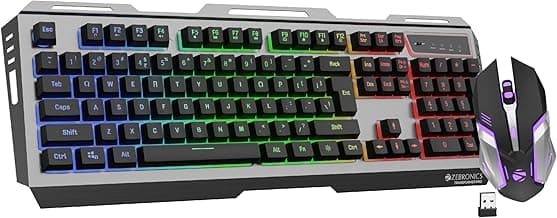

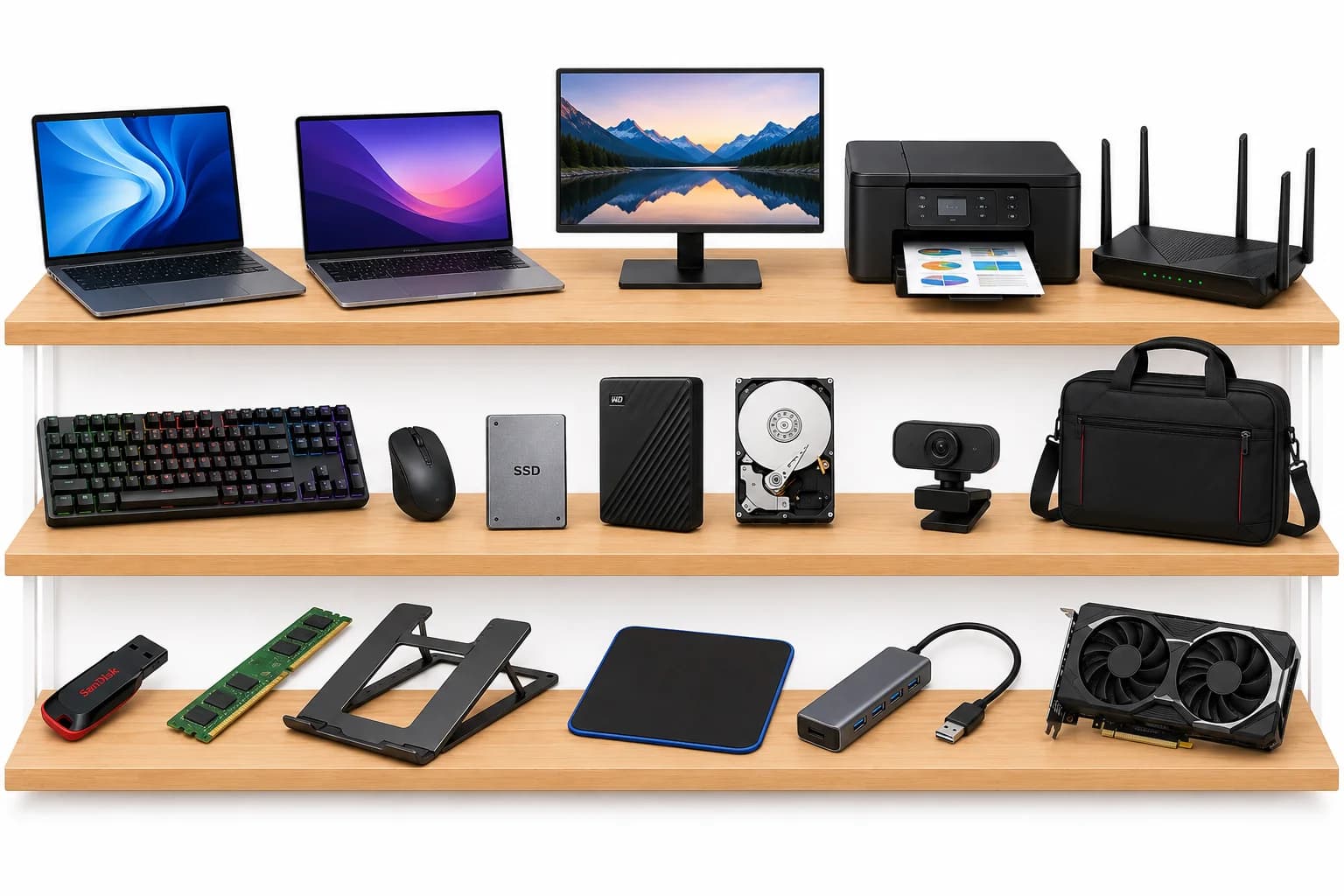
Mechanical keyboards used to be a premium purchase, but under ₹2,000 you can now get genuine mechanical switches, decent build quality, and features like RGB backlighting and programmable keys. The tricky part is that switch type matters more than almost any other spec, and it's easy to buy the wrong one for how you actually type or game.
Understanding Switch Types
This is the single most important decision before buying:
- Linear switches (like Red) — smooth keypress with no tactile bump or click, generally preferred for gaming due to fast, consistent actuation
- Tactile switches (like Brown) — a noticeable bump partway through the keypress without an audible click, a popular middle ground for both typing and gaming
- Clicky switches (like Blue) — a tactile bump plus an audible click sound, often preferred for typing feedback but can be genuinely loud for shared spaces like offices or shared rooms
If you're buying primarily for typing, tactile or clicky switches tend to feel more satisfying. For gaming, linear switches are generally preferred for their fast, consistent response.
What to Check Before Buying
- Switch brand and quality — genuine branded switches (even lesser-known but established switch manufacturers) tend to be more consistent than unbranded generic switches at this price
- Keycap material — ABS keycaps are common at this price but wear and shine faster than PBT keycaps; check if PBT is available even as a minor price increase, since it holds up noticeably better over time
- N-key rollover / anti-ghosting — important for gaming, ensures multiple simultaneous key presses register correctly rather than being dropped
- Build material — a sturdier plastic or partial metal frame reduces flex and improves the overall typing feel compared to a fully lightweight plastic build
- Cable and connector quality — a detachable USB-C cable is a genuine convenience upgrade over a fixed cable, since it's easier to replace if damaged
Pros & Cons of Buying a Mechanical Keyboard Under ₹2,000
Pros:
- Genuine mechanical switches with real tactile or linear feel are now common at this price
- RGB backlighting and basic customization features have become standard rather than premium extras
- Significantly more durable and satisfying to type on compared to budget membrane keyboards
- Wide variety of switch types available, letting you match the keyboard to your specific typing or gaming preference
Cons:
- Keycap quality (often ABS) at this price wears and shines faster than pricier PBT keycap options
- Software customization for RGB and macros, when included, is often more basic than premium keyboard ecosystems
- Build quality, while improved, still generally uses more plastic than metal compared to higher-end options
For Gaming
If gaming responsiveness is your priority:
- Linear switches (Red or similar) are generally the preferred choice for fast, consistent actuation
- Confirm N-key rollover or at least reliable anti-ghosting for simultaneous key presses
- A compact (tenkeyless or smaller) layout can improve mouse room on the desk if that matters for your setup
a well-reviewed linear-switch mechanical keyboard for gaming — LINK is a commonly recommended option in this budget.
For Typing and Office Use
If your main use is writing, coding, or general office work:
- Tactile switches (Brown or similar) offer satisfying feedback without being as loud as clicky switches
- If you're in a shared space, avoid clicky switches unless you're sure the noise won't be an issue for others
- A full-size layout with a numpad is worth considering if you regularly work with numbers or spreadsheets
a tactile-switch mechanical keyboard suited for office typing — LINK works well for this use case.
Noise Considerations for Shared Spaces
Mechanical keyboards, especially clicky switch variants, can be genuinely loud compared to membrane keyboards. If you work in a shared office, dorm, or living space, tactile (non-clicky) or linear switches are noticeably quieter options that still offer a proper mechanical feel without disturbing others nearby.
Quick Comparison Checklist
| Use case | Recommended switch type |
|---|---|
| Gaming | Linear (Red or similar) |
| Typing satisfaction | Clicky (Blue or similar) |
| Balanced typing + gaming | Tactile (Brown or similar) |
| Shared/quiet spaces | Tactile or linear, avoid clicky |
Today's Best Deals on Mechanical Keyboards Under ₹2,000
Prices in this segment shift with flash sales and bank offers. Check live pricing before you buy:
- See real-time results for this exact search on Best Mechanical Keyboards Under ₹2,000 — Live Search
- Browse the full Computers & Accessories category for related deals
- Compare listings across Amazon Deals and Flipkart Deals side by side
Frequently Asked Questions
Which switch type should a beginner choose if they're not sure yet?
Tactile switches (like Brown) are often recommended as a good starting point since they offer a satisfying typing feel without being as loud as clicky switches, while still performing reasonably well for casual gaming.
Are budget mechanical keyboards actually using real mechanical switches, or is it marketing?
At this price point in 2026, most genuinely branded "mechanical keyboard" listings do use real mechanical switches, though switch brand quality can vary. Checking the specific switch brand mentioned in the listing (rather than just "mechanical switches" as a vague term) helps confirm authenticity.
Do I need RGB lighting, or is it just a cosmetic feature?
RGB is purely cosmetic and doesn't affect typing or gaming performance, but it's become a common feature at this price with little to no cost difference, so it's a reasonable bonus to look for rather than a must-have.
How long do budget mechanical keyboards typically last?
Mechanical switches are generally rated for tens of millions of keystrokes, meaning the switches themselves often outlast other components. With reasonable care, a budget mechanical keyboard can comfortably last several years of regular use.
Check Best Deals for current live pricing on mechanical keyboards before you buy — the same model can be priced differently across platforms depending on ongoing offers.